4GE LAN+1POTS+WiFi 5 AC1200 ONT
● GPON Technology for Great Bandwidth ● Triple Play Applications ● User-friendly GUI Web Configuration ● Dual-band Wireless
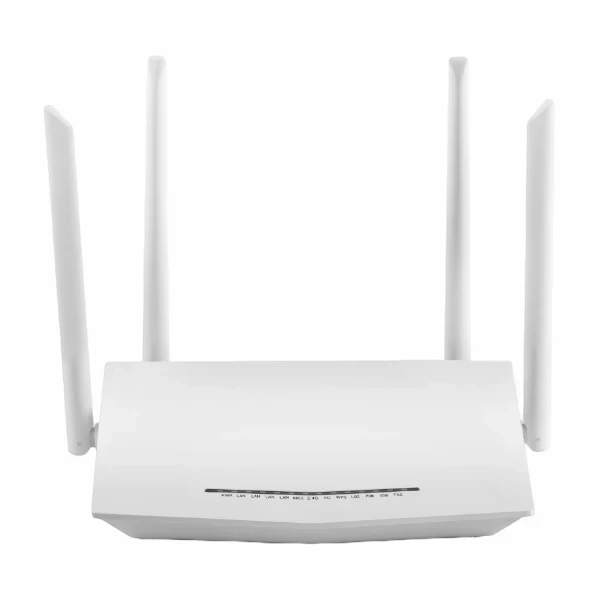
Product Overview
● GPON Technology for Great Bandwidth ● Triple Play Applications ● User-friendly GUI Web Configuration ● Dual-band Wireless
Request a QuoteProduct Details
1. GPON Technology for Great Bandwidth
Delivers huge speed for a broadband connection that can provide users with blazing-fast Internet.
2. Triple Play Applications
This gpon wi-fi modem Provide multiple services through a single high-speed broadband connection to stream data, voice, and high-definition video services to a home.
3. User-friendly GUI Web Configuration
This gpon wi-fi modem is an optical network terminal which is targeted for all subscribers requiring multiple ports and high-speed data interfaces in a cost-effective indoor housing. Fully compliant with ITU-T G.984 standards, it supports data rates of 1.25Gbps upstream and 2.5Gbps downstream. With the latest GPON technology, users can enjoy bandwidth-intensive multimedia services such as real-time audio, and gaming much easier and faster than ever before.
4. Dual-band Wireless
DGP-C2711TR, this gpon wi-fi modem has two wireless radios for concurrent support of 2.4GHz and 5GHz wireless radio bands. An internal diplexer enables both radios to share a single pair of wireless antenna. It is capable of supporting both Access Point mode and station mode concurrently if required.
Parameter
Description | Wi-Fi5 GPON Modem Router |
Wireless Speed | 2.4GHz 300Mbps 5.8GHz 866Mbps |
Standard | 802.11a/b/g/n/ac |
Frequency | 2.4GHz & 5.8GHz |
Transmission Power (Max) | 2.4GHz: 22dbm 5.8GHz: 20dbm |
Interface | 1*GPON+1*GE ETH WAN+4*GE LAN+1*VOIP+1*USB |
Antenna | 4*5dbi fixed |
WAN Mode | DHCP/Static/PPPOE/L2TP/PPTP |
Easy MESH | yes |
TR069 | yes |
IPV4/IPV6 | yes |
Advanced Functions | 802.1Q VLAN/DHCP options (43/60/121) Bandwidth Control /Access Control/Port Forwarding/DDNS/DMZ/Parent Control /Black List/MAC Filter/IP filter/URL Filter/QOS/Anti-DOS attack |
Interface | 1*GPON WAN port (SC/APC type) |
Buttons | Power ON/OFF |
LEDs | Power, PON, ALM, Internet, LAN, WLAN, WPS |
Antenna | 4*5dbi external antennas |
GPON Features | ITU-T G.984.x compliant |
Wi-Fi | Frequency: 2.4 GHz, 5GHz |
Networking | PPPOE/Bridge/DHCP/Static IP WAN Mode |
QoS | Flexible packet classification |
Security | Stateful Packet Inspection (SPI) |
Management | Web based GUI |
Physical Characteristics | Net weight: 300g |
Power | Input: 100 ~ 240 V |
Environmental | Operating temperature: 0 ° C~ 40° C (32° F ~ 104° F) |
Certification | CE |
FAQ
Q: Why are all the indicators turned off?
Answer: Check the following content:
● The connection between the power adapter and the power outlet.
● The status of the power switch.
Q: Why is the LAN indicator light off?
Answer: Check the following content:
● The connection between the router and your computer, hub, or switch.
● The operating status of the PC, hub, or switch.
Downloads
Product Datasheet
PDFTechnical Specifications
PDFInstallation Guide
PDFCE Certificate
PDFReady to Get Started?
Contact our sales team for pricing, availability, and customization options
Contact Us